Sports scoreboard overlay for live streaming
Professional sports scoreboard overlays for your live stream
Control score, timer, team names, colors, and logos from your browser. Add the overlay to OBS, Streamlabs, or vMix in seconds.
- Works with OBS
- Browser-based
- No install
- Free to start
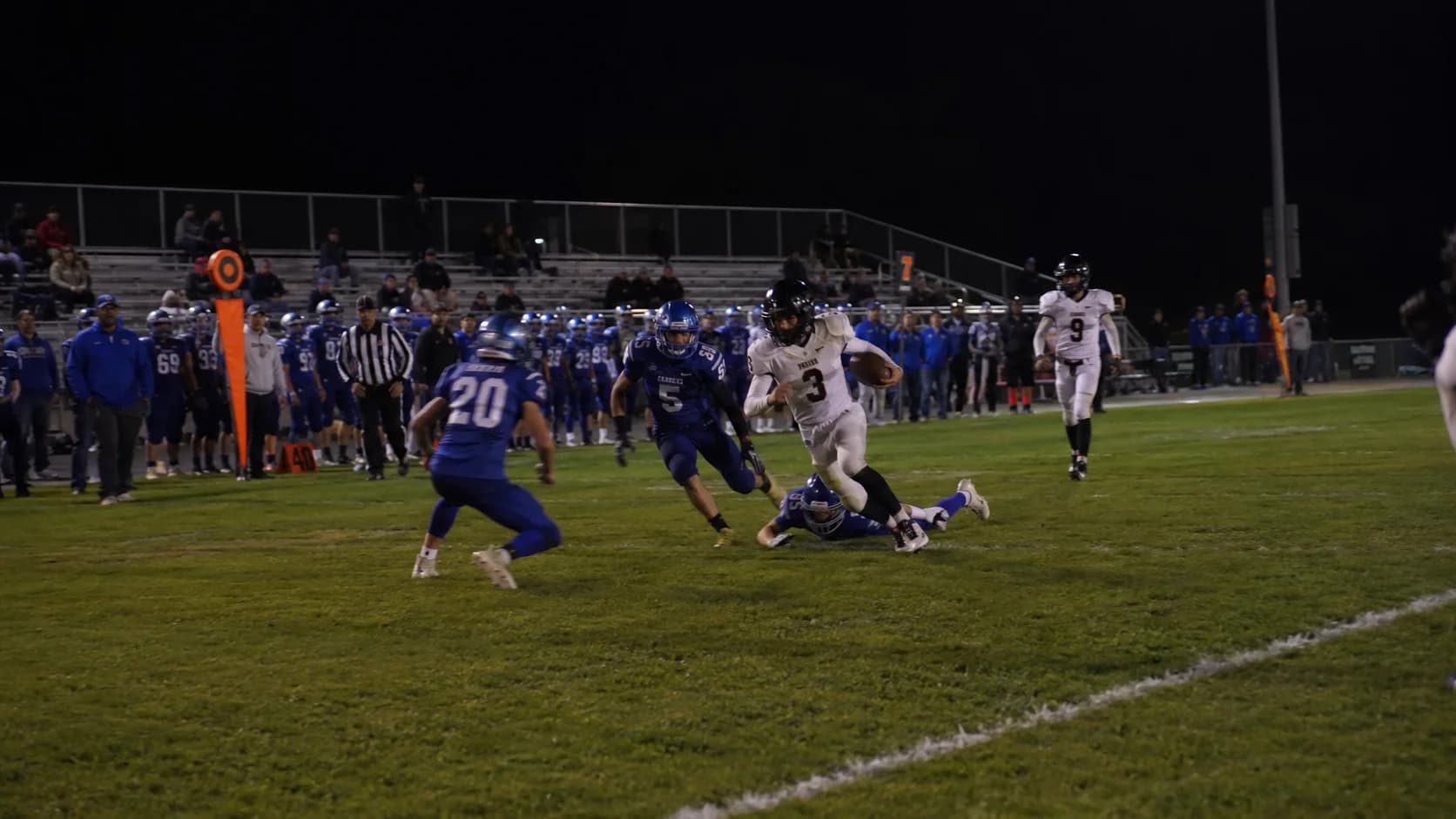
Classic Scorebug — Broadcast-style bar with team names, clock, timeouts, and down & distance.
Works with Every Major Streaming Tool
- OBS Studio
- Streamlabs
- vMix
- Any Browser Source
Built for grassroots sports
- Youth academies
- Local sports clubs
- Local broadcasters
- School tournaments
- Amateur leagues
Trusted by clubs and broadcasters

“ScoreLayer worked perfectly for us all through our streaming of the Norwegian Flag Football Championships! I really like that the logos and scores don't have a white background box around them - it lets you see more of the field.”
Travis Cornwell — Head of Club Development, Norwegian Federation of American Sports
“We're really happy with ScoreLayer! Getting started was easy, and we're now able to produce a professional looking stream for our Elite team with our one-person streaming team. ScoreLayer have also been very responsive to our questions and requests for new features (they even created the FOX style overlay at our request).”
Joachim Løvf — Chairman Of The Board, Oslo Vikings American Football Club
Stop editing text layers in OBS during the match
Without ScoreLayer
- Static text overlay in OBS
- Manual edits mid-match
- Inconsistent look every game
- Hard to update under pressure
- No team logos or colors
With ScoreLayer
- ✓Live scoreboard control panel
- ✓Update score with one tap
- ✓Professional broadcast look
- ✓Team logos and custom colors
- ✓Transparent browser source overlay
Overlay styles for every match
One scoreboard, multiple broadcast looks.
Classic Scorebug
Full broadcast bar with team names, clock, timeouts, and match info.
Everything you need for a professional sports stream
No graphics operator. No OBS plugins. Just a browser.
Score & Period Tracking
Track points and the current period or half with one-click controls.
Possession Indicator
Show which team has possession with a live indicator that updates instantly on stream.
Custom Team Names
Set home and away team names before the match and update them any time.
Logo Upload
Upload PNG or JPG team crests. They appear immediately in the overlay.
Colour Customisation
Pick team colours to match your club kits and brand guidelines.
Instant Sync
The control panel and overlay stay in sync in real time — no page refresh, no delay.
On air in under 2 minutes
- 1
Open the Control Panel
Go to ScoreLayer and open the control panel in your browser. Set your team names, colours, and logos.
- 2
Add a Browser Source in OBS
In OBS Studio, add a new Browser Source. Paste your ScoreLayer overlay URL and set the width and height to match your stream resolution.
- 3
Go Live
Start your stream. Use the control panel to update the score and period — your overlay updates live on stream.
Built for matchday chaos
ScoreLayer is designed for the real conditions of live sports production.
- Update the score instantly from your browser — no OBS editing required
- Pause and adjust the match clock at any time
- Swap team colors and logos before the match
- Let a second operator control the scoreboard while you run the stream
- Works with any streaming setup that supports a browser source
- Transparent overlay composites cleanly over any camera or footage
Frequently Asked Questions
What is a sports scoreboard overlay?
A sports scoreboard overlay is a graphic that sits on top of your live stream video, showing the current score, period, and team information — just like a broadcast on TV. ScoreLayer renders this as a transparent browser source you add to OBS, Streamlabs, or vMix.
What is a scorebug?
A scorebug is a small graphic that shows the current score and other match information. It is usually placed in a corner of the screen so it does not block the action. ScoreLayer provides a scorebug overlay that updates live as you control the score from your browser. ScoreLayer's primary goal is to give your stream a professional broadcast look without the need for expensive graphics software or a dedicated graphics operator.
Does ScoreLayer work with OBS Studio?
Yes. Add ScoreLayer as a Browser Source in OBS Studio. The overlay has a transparent background so it composites cleanly over your camera feed or game footage. You control the score from a separate control panel tab — no need to touch OBS during the match.
Read the step-by-step OBS setup guide →Can multiple people update the scoreboard?
Yes, on a paid plan. Invite co-operators from the control panel and any number of them can control the same scoreboard simultaneously — all changes sync in real time for everyone. This is particularly useful at live events where different people handle different jobs — one person on camera, another updating the score from the sideline or touchline. Some productions also have a separate person keeping the game clock in sync with ScoreLayer. The control panel is just a browser URL, so there is nothing to install for anyone joining, and score updates from any device appear on the stream overlay immediately.
Does it work with Streamlabs and vMix?
Yes. Any streaming software that supports a browser source or web URL input works with ScoreLayer. This includes Streamlabs, vMix, Wirecast, and most other professional streaming tools.
Do I need to install any software?
No. ScoreLayer runs entirely in the browser — there is nothing to download, install, or configure. In OBS Studio, you add it as a Browser Source, paste the overlay URL, and set the width and height to match your stream resolution. The overlay appears as a transparent layer over your footage. The same URL works in Streamlabs, vMix, or any streaming software that accepts a browser source input. The score control panel opens in a separate browser tab on any device — phone, tablet, or second monitor.
Can I use my own team logos and colours?
Yes. You can upload PNG or JPG team crests directly from the control panel and set a custom colour for each team. Changes appear on the overlay immediately — no need to touch OBS. PNG files with a transparent background give the cleanest result when composited into the scorebug. Logos are scaled automatically to fit, so there is no exact size requirement. You can swap logos or change colours at any point — between periods, before the next match, or mid-stream if needed.
Is ScoreLayer free to use?
Yes. The free plan includes the core sports scoreboard overlay with full OBS and streaming software support, custom team names, colours, and logo upload. You can create a scoreboard, add it to OBS, and go live without entering payment details. It is permanently free, not a trial — there is no expiry date and no card required. The free plan covers one scoreboard and 3 hours of live overlay per calendar month, which is enough for a full match. Every overlay style is included on the free plan. Paid plans lift the hour limit, remove the ScoreLayer branding, add team members, and raise the scoreboard limit.
Is there a limit on how long I can use the free overlay?
The free plan includes 3 hours of live overlay time per calendar month, resetting on the 1st (UTC). Only time when the overlay is live and you are actually operating the scoreboard counts — a browser source left open in OBS between matches does not use up your hours. You can see exactly how much you have used on your dashboard and control panel, and the overlay warns you before you run out. Paid plans have no hour limit.
Which sports does ScoreLayer support?
ScoreLayer supports American football, basketball, boxing, flag football, handball, hockey, pool / billiards / snooker, rugby, soccer, and tennis. Each sport has dedicated overlay styles and a sport-specific control panel. All overlays work with OBS Studio, Streamlabs, vMix, and any streaming software that accepts a browser source.
How do I update the score during a live stream?
Open the ScoreLayer control panel in a browser tab on your phone, tablet, or a second monitor. Tap the score buttons to add or remove points — the overlay on your stream updates instantly without any delay. You do not need to refresh OBS or touch any streaming software settings during the match. If you enter the wrong score, you can adjust it in either direction at any time. Multiple people can update the same scoreboard simultaneously, so your camera operator and your scorer can work independently.
From the blog
All posts →Connect a Genius Sports ScoreLink to your scorebug
ScoreLayer can now follow your stadium scoreboard through a Genius Sports ScoreLink. American football is live today, and we built it in a day for a customer.
Read →Run your scoreboard from a Stream Deck
ScoreLayer now has a Stream Deck plugin. Score plays, run the game clock, call timeouts and start periods from physical keys that show you the live score.
Read →Handball is here: suspension clocks, empty goal, running clock
ScoreLayer now supports handball with a continuous match clock, up to three self-running 2-minute suspensions per team, timeouts, and an empty-goal indicator.
Read →
Give your live sports stream a broadcast-quality scoreboard
Free to start. No install. Works with OBS, Streamlabs, and vMix.
Create free scoreboard