Rugby scoreboard overlay for live streaming
Professional rugby scoreboard for your live stream
A running match clock with stoppage time, union or league scoring, and yellow/red card tracking for both sides — all from your browser. Add the transparent overlay to OBS, Streamlabs, or vMix in seconds.
- Works with OBS
- Browser-based
- No install
- Free to start
Built for rugby broadcasters at every level
- Club & school rugby matches
- Rugby sevens tournaments
- Youth & age-grade fixtures
- Social & touch rugby streams
- Local league fixtures
- Sevens & tens tournament days
See it on a real match
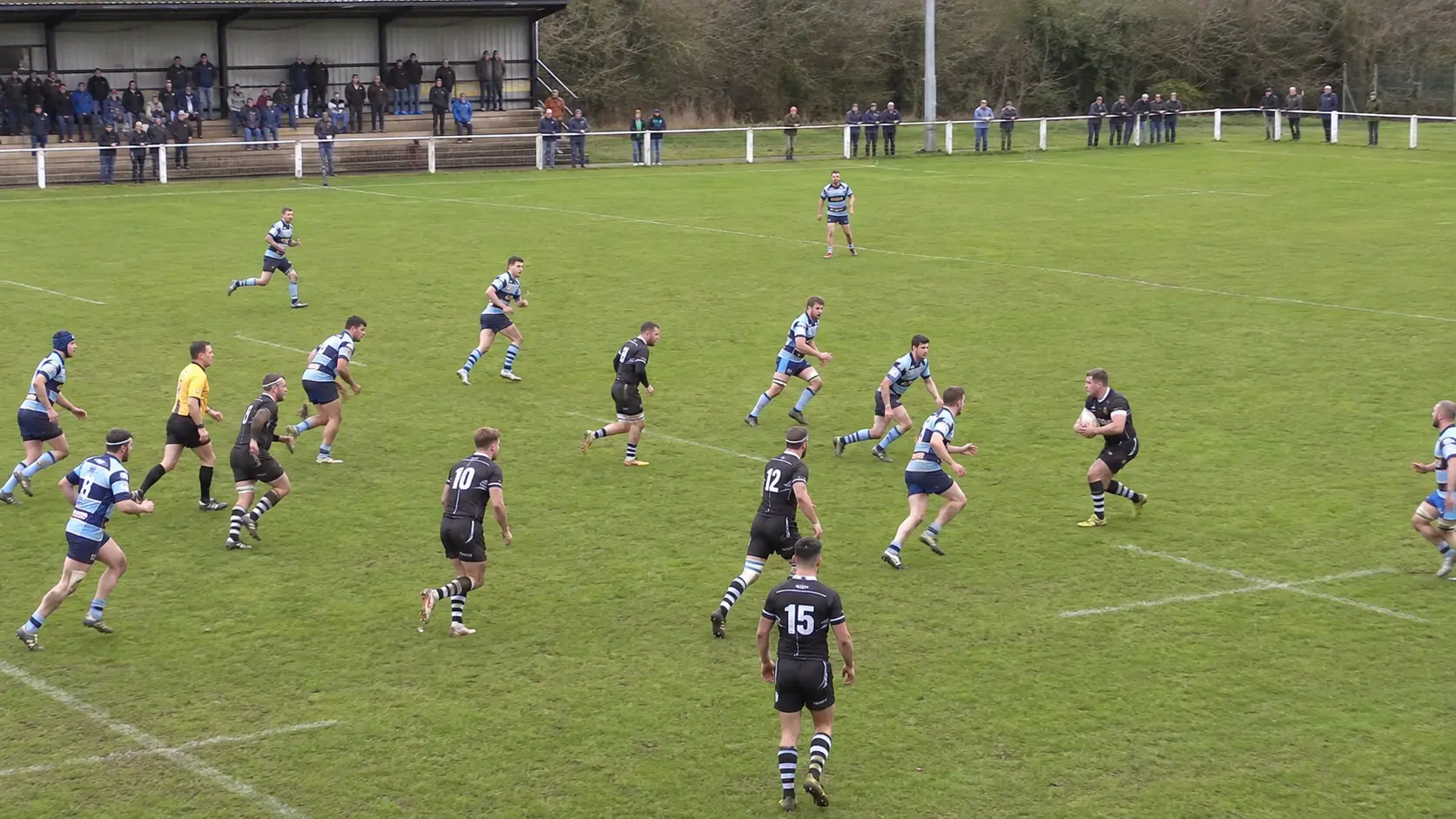
The rugby scorebug composited on a real match, exactly as it appears in OBS.
Classic
Running match clock, union or league scoring, and card tracking — exactly as it appears in OBS.
Everything you need for a professional rugby stream
No graphics operator required. Just a browser.
Running match clock with stoppage time
A live, running clock across two halves (plus extra time for knockout matches) that keeps counting through a break, with a separate "+m:ss" indicator once play runs past regulation — just like broadcast coverage.
Union or league scoring, your call
Flip a single toggle between Union (Try 5, Conversion 2, Penalty 3, Drop Goal 3) and League (Try 4, Conversion 2, Penalty 2, Drop Goal 1) scoring presets — the scoring buttons update instantly to match.
Yellow & red card tracking
One-tap counters for each side's yellow and red cards. You control the count directly, so it works whether you are running a strict ten-minute sin-bin or just logging cards for the broadcast.
Scrum/possession indicator
A simple on-screen marker for which side has the ball — flip it with one tap as play changes hands.
Instant sync
The control panel and overlay stay in sync in real time — no page refresh, no delay, no dropped updates between phases of play.
On air before kickoff
- 1
Open the control panel
Go to ScoreLayer and open the control panel in your browser. Set team names and colors, and choose Union or League scoring before kickoff.
- 2
Add a browser source in OBS
In OBS Studio, add a new Browser Source. Paste your ScoreLayer overlay URL and set the width and height to match your stream resolution.
- 3
Go live
Start your stream. Run the match clock and log tries, cards, and phase changes from the control panel — the overlay updates live without you touching OBS.
Frequently asked questions
- What is a rugby scoreboard overlay?
- A rugby scoreboard overlay is a transparent graphic that sits on top of your live stream video, showing team names, score, and the match clock — similar to what you see in broadcast coverage. ScoreLayer renders this as a browser source you add to OBS, Streamlabs, or vMix.
- Does ScoreLayer work with OBS Studio for rugby streams?
- Yes. Add ScoreLayer as a Browser Source in OBS Studio. The overlay has a transparent background so it composites cleanly over your pitch footage. You run the clock and update the score from a separate browser tab or phone — no need to touch OBS mid-match.
- Does it support both rugby union and rugby league scoring?
- Yes. A single toggle in the control panel switches between Union (Try 5, Conversion 2, Penalty 3, Drop Goal 3) and League (Try 4, Conversion 2, Penalty 2, Drop Goal 1) scoring presets — the on-screen scoring buttons update immediately to match whichever code you are playing.
- How does the match clock handle stoppage time?
- The clock runs continuously across each half. Once play goes past a half's regulation length, the main clock holds at that mark and a separate "+m:ss" indicator shows how far into stoppage time play has gone — the same convention used in broadcast coverage.
- Does it support extra time?
- Yes. Beyond the two regular halves, the period selector includes an extra-time period pair for knockout matches that go beyond full time.
- How do yellow and red cards work?
- Each side has its own one-tap yellow and red card counters. You control the count directly — there is no automatic sin-bin countdown — so it works whether you are running a strict ten-minute sin-bin or simply logging cards for commentary.
- Can I show which team has the ball?
- Yes. A simple possession marker on the overlay shows which side currently has the ball — tap to flip it as play changes hands.
- Do I need to install any software?
- No. ScoreLayer runs entirely in the browser. You just add a URL as a browser source in your streaming software — there is nothing to download, install, or configure on your computer.
- Does it work with Streamlabs and vMix?
- Yes. Any streaming software that supports a browser source or web URL input works with ScoreLayer, including Streamlabs, vMix, and Wirecast.
Ready to level up your rugby stream?
Add a professional rugby scoreboard overlay to your next match. Free to try — no software install required.
Create scoreboard