Handball scoreboard overlay for live streaming
Broadcast-style handball scoreboard for your live stream
A continuous match clock across both halves, up to three 2-minute suspensions running per side, team timeouts, and an empty-goal marker for the 7-v-6 attack. Add the transparent overlay to OBS, Streamlabs, or vMix in seconds.
- Works with OBS
- Browser-based
- No install
- Free to start
Built for handball broadcasters at every level
- Club & regional league fixtures
- School & youth handball
- University and student leagues
- Indoor tournament weekends
- Cup and playoff nights
- Training and analysis recordings
See it on a real match
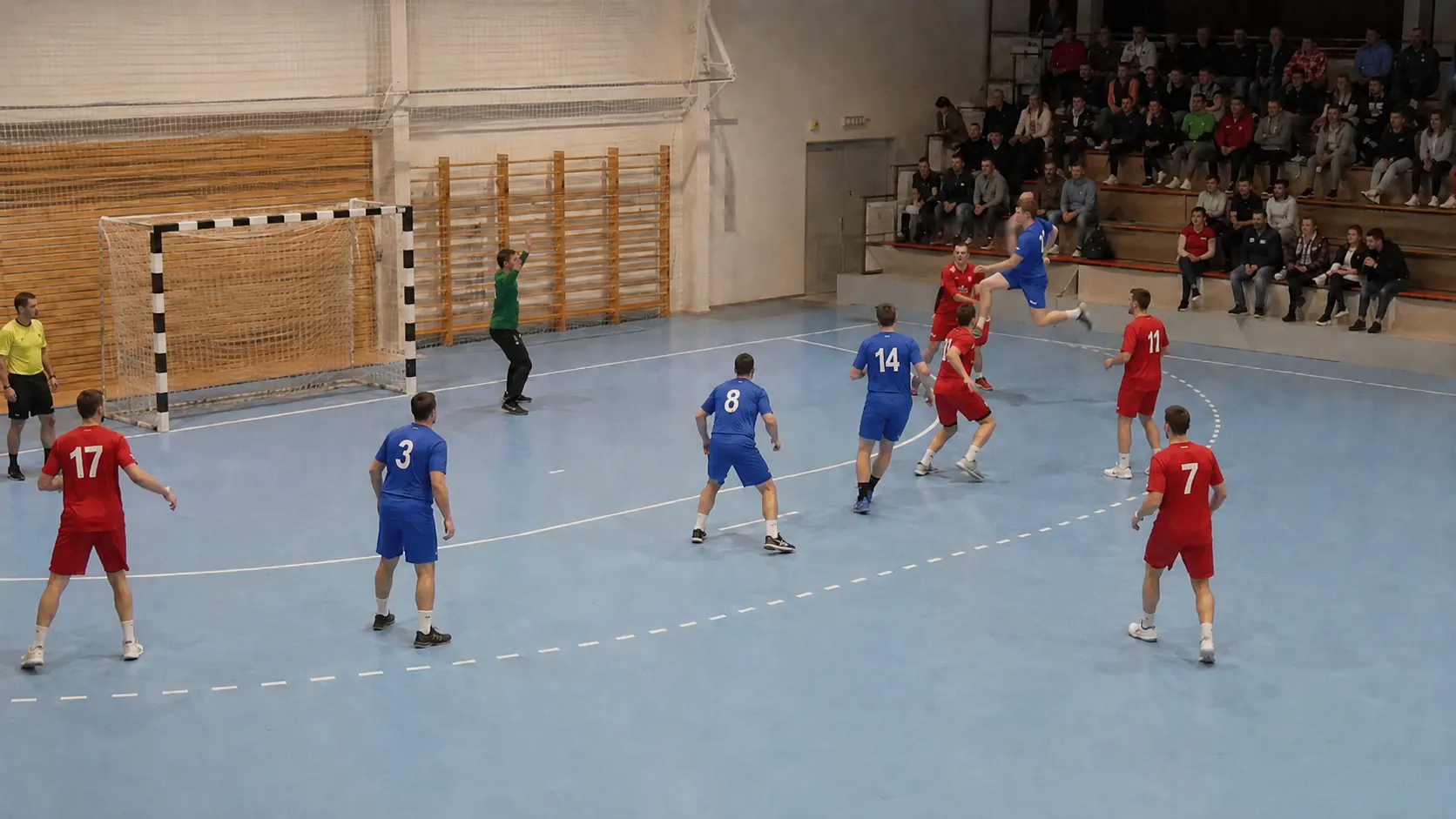
The handball scorebug composited on a real match, exactly as it appears in OBS.
Standard
Team codes, scores, the running match clock, live suspension chips, and an empty-goal tab — exactly as it appears in OBS.
Everything you need for a professional handball stream
No graphics operator required. Just a browser.
Continuous match clock
A count-up clock that carries straight through both 30-minute halves and on into extra time, so 47:30 on the overlay means 47:30 of the match. Pick the second half and it sets itself to 30:00 and starts.
Suspension clocks that run themselves
Start a 2-minute suspension with one tap and it appears beside the scorebug, counting down on its own and clearing itself at zero. Each side has three slots, so a double or triple exclusion is no problem.
Suspensions pause with the match
Stop the match clock for an injury or a team timeout and every running suspension freezes with it, then resumes the moment you restart play. You never have to nudge them back into sync by hand.
Empty-goal indicator
One tap marks a side as playing 7-v-6 with the keeper off, and a tab appears under that team's panel. Viewers joining mid-attack can see the extra field player is intentional.
Timeouts and red cards on the bug
Timeout pips count down as each side spends them (three per match by default, adjustable for your competition's rules), and a red-card badge sits beside the team code as soon as you log a disqualification.
Instant sync
The control panel and the overlay stay in sync in real time — no page refresh, no delay, and no scramble during a fast-break sequence.
On air before throw-off
- 1
Open the control panel
Go to ScoreLayer and open the control panel in your browser. Set team names and colors, and add a match title such as the venue or competition if you want one above the bug.
- 2
Add a browser source in OBS
In OBS Studio, add a new Browser Source. Paste your ScoreLayer overlay URL and set the width and height to match your stream resolution.
- 3
Go live
Start your stream. Run the clock, add goals, and start suspensions from the control panel — the overlay updates live without you touching OBS.
Frequently asked questions
- What is a handball scoreboard overlay?
- A handball scoreboard overlay is a transparent graphic that sits on top of your live stream video, showing team names, the score, and the match clock — similar to what you see in broadcast coverage. ScoreLayer renders this as a browser source you add to OBS, Streamlabs, or vMix.
- Does ScoreLayer work with OBS Studio for handball streams?
- Yes. Add ScoreLayer as a Browser Source in OBS Studio. The overlay has a transparent background so it composites cleanly over your court footage. You run the clock and update the score from a separate browser tab or a phone — no need to touch OBS mid-match.
- How do the 2-minute suspensions work?
- Each team has three suspension slots in the control panel. Tap one and a 2-minute countdown starts and appears as a chip beside the scorebug. The chip clears itself when it reaches zero, and you can add or subtract ten seconds at a time, or clear it early, if the timekeeper and the overlay drift apart.
- Do suspensions keep running when the match clock is stopped?
- No. Every running suspension freezes the instant you stop the match clock and resumes when you start it again, which matches how the sport is actually timed. Starting a suspension during a stoppage is fine too: it waits, showing 2:00, until play restarts.
- Can it show a team playing with an empty goal?
- Yes. A single button per side marks that team as playing without a keeper, and an "Empty Goal" tab appears under their panel on the overlay. Tap it again to clear it when the keeper comes back on.
- How does the clock handle halves and extra time?
- It counts up continuously, so the second half runs from 30:00 to 60:00 rather than restarting at zero, and extra time carries on from 60:00. Selecting a period sets the clock to that period's start for you. The clock holds at the end of a half rather than running past it, which matches a hall clock the timekeeper stops for interruptions. The selector covers both halves, half time, full time, and a pair of extra-time periods for knockout matches.
- How many timeouts can each team have?
- Three per match by default, matching IHF rules, shown as small pips beside each team's score. You can raise or lower the number from the control panel if your competition uses a different allowance.
- Do I need to install any software?
- No. ScoreLayer runs entirely in the browser. You just add a URL as a browser source in your streaming software — there is nothing to download, install, or configure on your computer.
- Does it work with Streamlabs and vMix?
- Yes. Any streaming software that supports a browser source or web URL input works with ScoreLayer, including Streamlabs, vMix, and Wirecast.
Ready to level up your handball stream?
Add a broadcast-style handball scoreboard overlay to your next match. Free to try — no software install required.
Create scoreboard