Soccer scoreboard overlay for live streaming
Professional soccer scoreboard for your live stream
Track score, match period, and possession from your browser. Add the overlay to OBS, Streamlabs, or vMix in seconds — no software install required.
- Works with OBS
- Browser-based
- No install
- Free to start
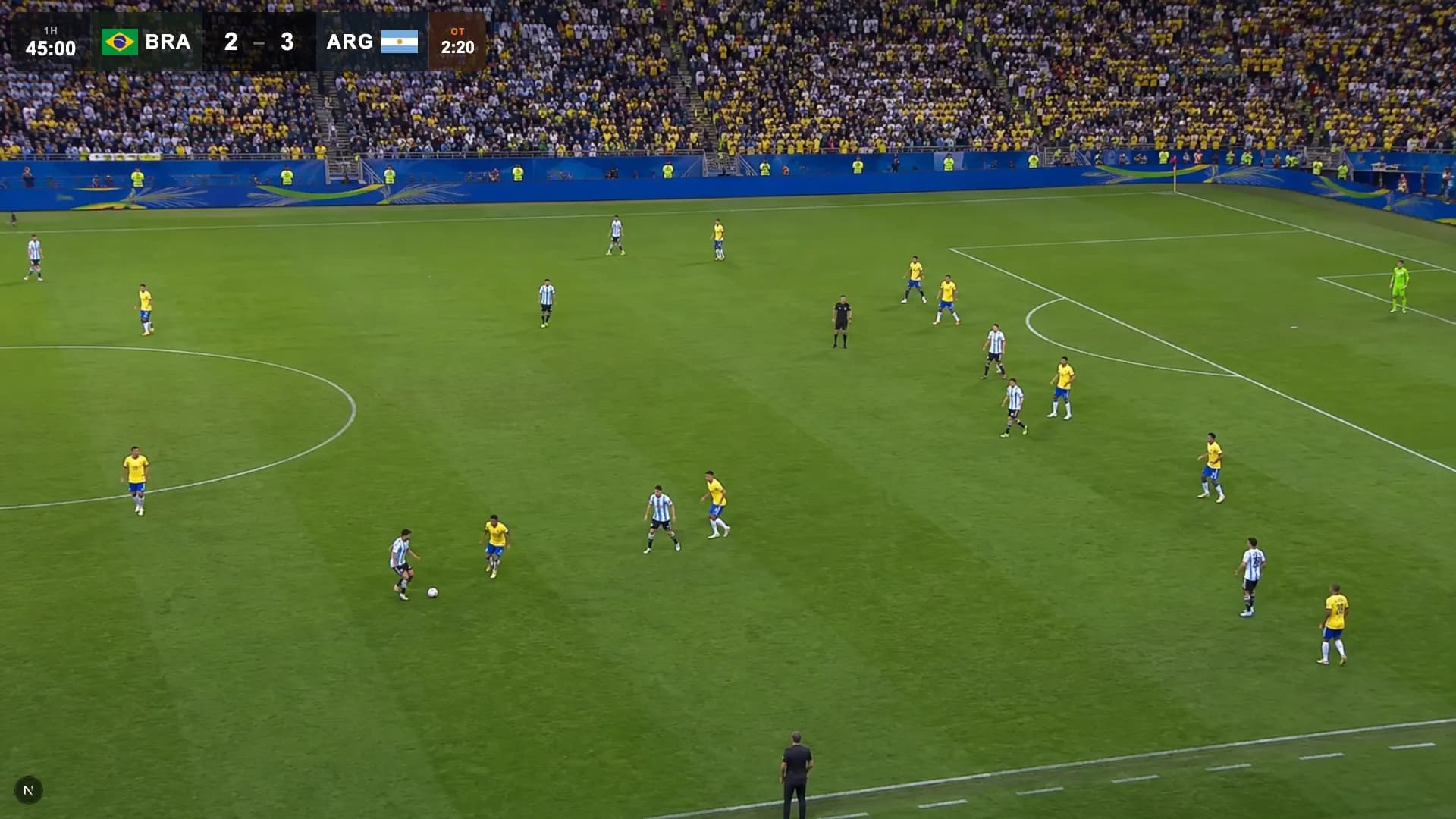
Built for soccer broadcasters
- High school soccer streams
- College club teams
- Youth league games
- Sunday league broadcasts
- Futsal tournaments
- Amateur & semi-pro productions
Four layouts. One stream.
Classic, Fox Soccer, 94 Classic, and World Cup 2026 — try each one live below using the tabs, and pick the look that fits your production.
Corner glass overlay with team colors, score, live match clock, and period — exactly as it appears in OBS.
Everything you need for a professional soccer stream
No commentary booth. No graphics operator. Just a browser.
Score Tracking
Track goals with one-click controls. Update the score the moment the ball hits the net — your overlay reflects it instantly on stream.
Match Period Display
Show the current match period — 1st Half, 2nd Half, Extra Time, and more — so viewers always know where they are in the match.
Possession Indicator
Display which team has possession with a live marker that updates instantly without touching OBS.
Custom Team Names & Logos
Set home and away team names before kick-off. Upload PNG or JPG team badges — they appear immediately in the overlay.
Custom Team Colors
Match each team's kit color on the scorebug so viewers instantly know which side is which.
Instant Sync
The control panel and overlay stay in sync in real time — no page refresh, no delay, no dropped updates.
On air in under 2 minutes
- 1
Open the Control Panel
Go to ScoreLayer and open the control panel in your browser. Set your team names, colors, and logos before kick-off.
- 2
Add a Browser Source in OBS
In OBS Studio, add a new Browser Source. Paste your ScoreLayer overlay URL and set the width and height to match your stream resolution.
- 3
Go Live
Start your stream. Use the control panel to update the score, match period, and possession — your overlay updates live on stream.
Frequently Asked Questions
- What is a soccer scoreboard overlay?
- A soccer scoreboard overlay is a graphic that sits on top of your live stream video, showing the current score, match period, and possession — just like a broadcast on TV. ScoreLayer renders this as a transparent browser source you add to OBS, Streamlabs, or vMix.
- Does ScoreLayer work with OBS Studio for soccer streams?
- Yes. Add ScoreLayer as a Browser Source in OBS Studio. The overlay has a transparent background so it composites cleanly over your camera feed or pitch footage. You control the score and match period from a separate control panel tab — no need to touch OBS during the game.
- Can I show possession on the scorebug?
- Yes. ScoreLayer has a possession indicator that shows which team has the ball. Update it with one tap from the control panel and it changes on stream instantly. The indicator sits within the scorebug — no separate graphic layer required. It is particularly useful for soccer streams where possession changes frequently and viewers want to follow the flow of play without a commentary track.
- Can I customise team names and logos?
- Yes. You can set home and away team names, choose a custom colour for each team, and upload PNG or JPG club badges. Everything appears in the overlay as soon as you save it — no need to touch OBS. PNG files with a transparent background give the cleanest result within the scorebug. Team names can be as long as a full club name and logos are scaled automatically to fit.
- Do I need to install any software?
- No. ScoreLayer runs entirely in the browser. You just add a URL as a browser source in your streaming software — there is nothing to download, install, or configure on your computer. The browser source overlays your soccer scorebug — score, match period, possession, and team branding — transparently over your pitch footage. It works from a single camera at pitch level up to a multi-camera match production.
- Does it work with Streamlabs and vMix?
- Yes. Any streaming software that supports a browser source or web URL input works with ScoreLayer. This includes Streamlabs, vMix, Wirecast, and most other professional streaming tools. For soccer streams, many club media coordinators use ScoreLayer alongside Streamlabs for YouTube and Facebook Live, keeping the scorebug running as a fixed browser source layer while switching between camera angles.
- Can I use ScoreLayer for futsal, indoor soccer, or other football variants?
- Absolutely. ScoreLayer is sport-agnostic under the hood — you control which fields are shown and what the period labels say. It works for any format where you need to display scores and periods on a live stream.
Ready to level up your soccer stream?
Add a professional soccer scoreboard overlay to your next match. Free to try — no software install required.
Create scoreboard