Volleyball scoreboard overlay for live streaming
Broadcast-style volleyball scoreboard for your live stream
Points, sets won, the serving team and timeouts per set, with set and match wins worked out for you. Indoor and beach formats built in. Add the transparent overlay to OBS, Streamlabs, or vMix in seconds.
- Works with OBS
- Browser-based
- No install
- Free to start
Built for volleyball broadcasters at every level
- Club & regional league matches
- High school volleyball
- College and university volleyball
- Beach volleyball tournaments
- Youth club tournament weekends
- Sitting volleyball
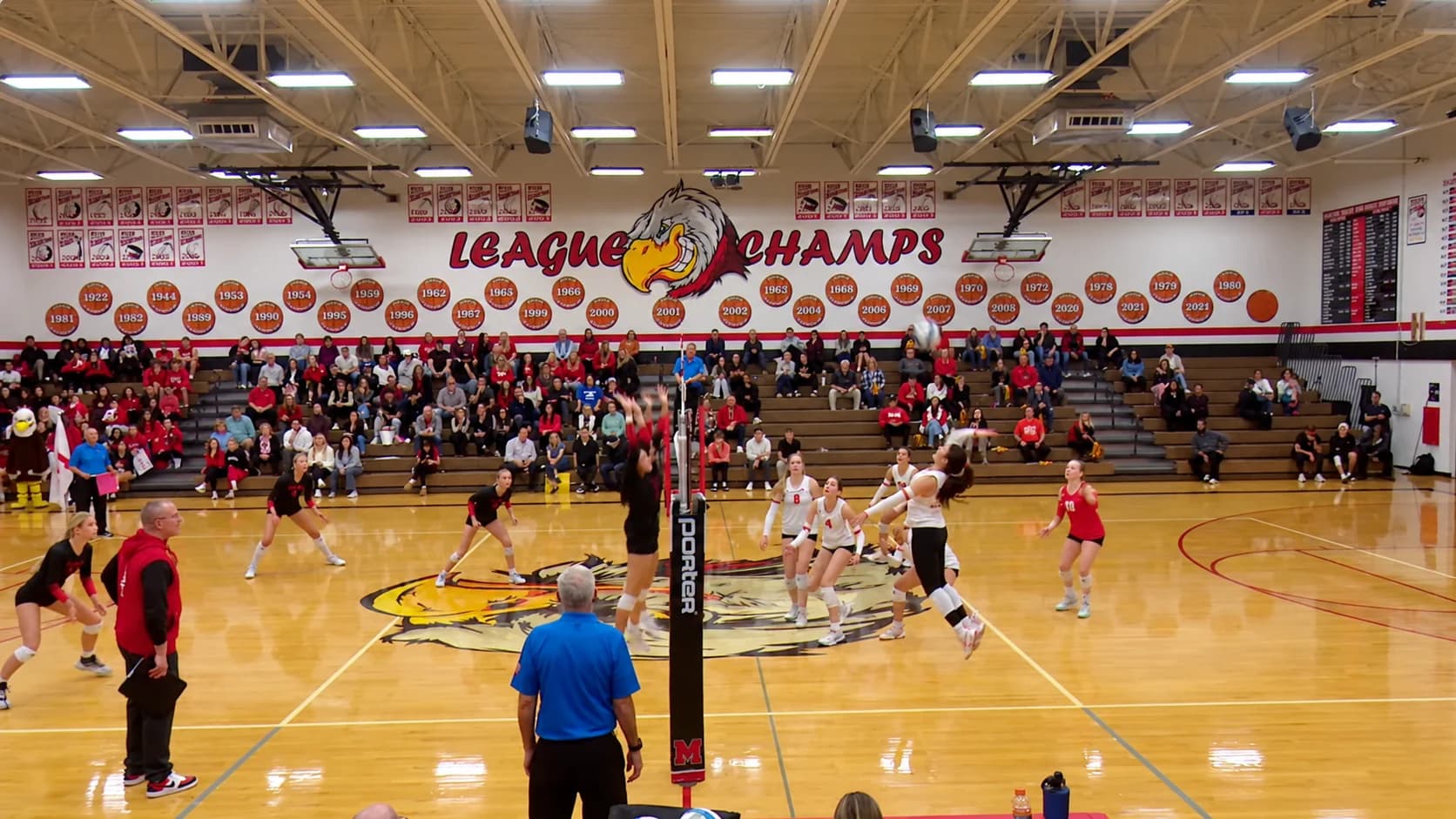
See it on a real match
The volleyball scorebug composited on a real match, exactly as it appears in OBS.
Standard
Team names and rankings, the set score, sets won, the serving team and timeouts left, exactly as it appears in OBS.
Everything you need for a professional volleyball stream
One person on the control panel. Just a browser.
Set wins worked out for you
A set is won at 25 with a two-point lead, so 25-24 plays on and 26-24 ends it. The deciding set goes to 15. The set-won pip lights on the winning point, and the bug reads END 1ST SET while the final score stays up.
Indoor, beach, or your own format
One tap for indoor (best of five, sets to 25) or beach (best of three, sets to 21). Change the best-of, the points per set and the deciding-set target to match your league.
Point caps for rec leagues
Playing 25 capped at 27? Turn on a cap and the first team to 27 takes the set by a single point. Leave it off for standard win-by-two.
Serve indicator
A small ball marks the serving team. Switch it after each side-out with one tap from the control panel, or from a Stream Deck key.
Timeouts per set, in your colours
Timeout bars sit along each team's panel in an accent colour you choose. Both teams get their allotment back at the start of every set: two for indoor, one for beach.
Rankings and logos
Add a poll ranking next to each team name, plus team colours and logos, so the bug looks like your conference broadcast.
On air before the first serve
- 1
Open the control panel
Go to ScoreLayer and create a volleyball scoreboard. Set team names, colours and logos, and pick the match format: indoor, beach, or your own.
- 2
Add a browser source in OBS
In OBS Studio, add a new Browser Source. Paste your ScoreLayer overlay URL and set the width and height to match your stream resolution.
- 3
Go live
Start your stream. Add points and switch the serve from the control panel. When a set ends, tap Start set 2 and the board resets to 0-0.
Frequently asked questions
- What is a volleyball scoreboard overlay?
- A volleyball scoreboard overlay is a transparent graphic that sits on top of your live stream video, showing team names, the score in the current set, sets won and which set is being played, similar to what you see in broadcast coverage. ScoreLayer renders this as a browser source you add to OBS, Streamlabs, or vMix.
- Does ScoreLayer know when a set is over?
- Yes. A set is won when a team reaches the target score with a lead of at least two points. At 25-24 the set keeps going; at 26-24 it is over. The set-won pip lights up straight away and the bug reads END 1ST SET with the final score still showing. Tap Start set 2 when you are ready and the board resets to 0-0.
- What if I score a point by mistake at set point?
- Take the point back and the set is open again, pip and all. If you have already started the next set, tap Back to set 1 and the previous set comes back with its score.
- Does it support beach volleyball?
- Yes. The beach format plays best of three, with sets to 21, a deciding third set to 15, and one timeout per team per set. Pick it with one tap when you set up the match.
- Can I use a point cap?
- Yes. Many rec and club leagues play 25 capped at 27. Turn on a cap for normal sets, the deciding set, or both, and the first team to reach the cap wins the set even by one point.
- How are timeouts handled?
- Each team gets a set number of timeouts per set, two by default, shown as bars on the team's panel in an accent colour you choose. Both teams get their timeouts back at the start of every set.
- Is there a game clock?
- No. Volleyball uses rally scoring with no game clock, so the bug shows the set being played where other sports show the time. You can still run a pre-match countdown before the first serve.
- Do I need to install any software?
- No. ScoreLayer runs entirely in the browser. You add a URL as a browser source in your streaming software, and there is nothing to download or install.
- Does it work with Streamlabs and vMix?
- Yes. Any streaming software that supports a browser source or web URL input works with ScoreLayer, including Streamlabs, vMix, and Wirecast.
Ready to level up your volleyball stream?
Add a broadcast-style volleyball scoreboard overlay to your next match. Free to try, with nothing to install.
Create scoreboard