Boxing & combat sports scoreboard overlay for live streaming
Professional boxing scoreboard for your live stream
Track rounds, the round clock, knockdowns, warnings, and point deductions for the red and blue corners — all from your browser. Add the transparent overlay to OBS, Streamlabs, or vMix in seconds.
- Works with OBS
- Browser-based
- No install
- Free to start
Built for boxing & combat sports broadcasters
- Amateur & club boxing shows
- Kickboxing & Muay Thai events
- Gym & promotion fight cards
- Youth & Golden Gloves bouts
- Sparring session streams
- Local title fights
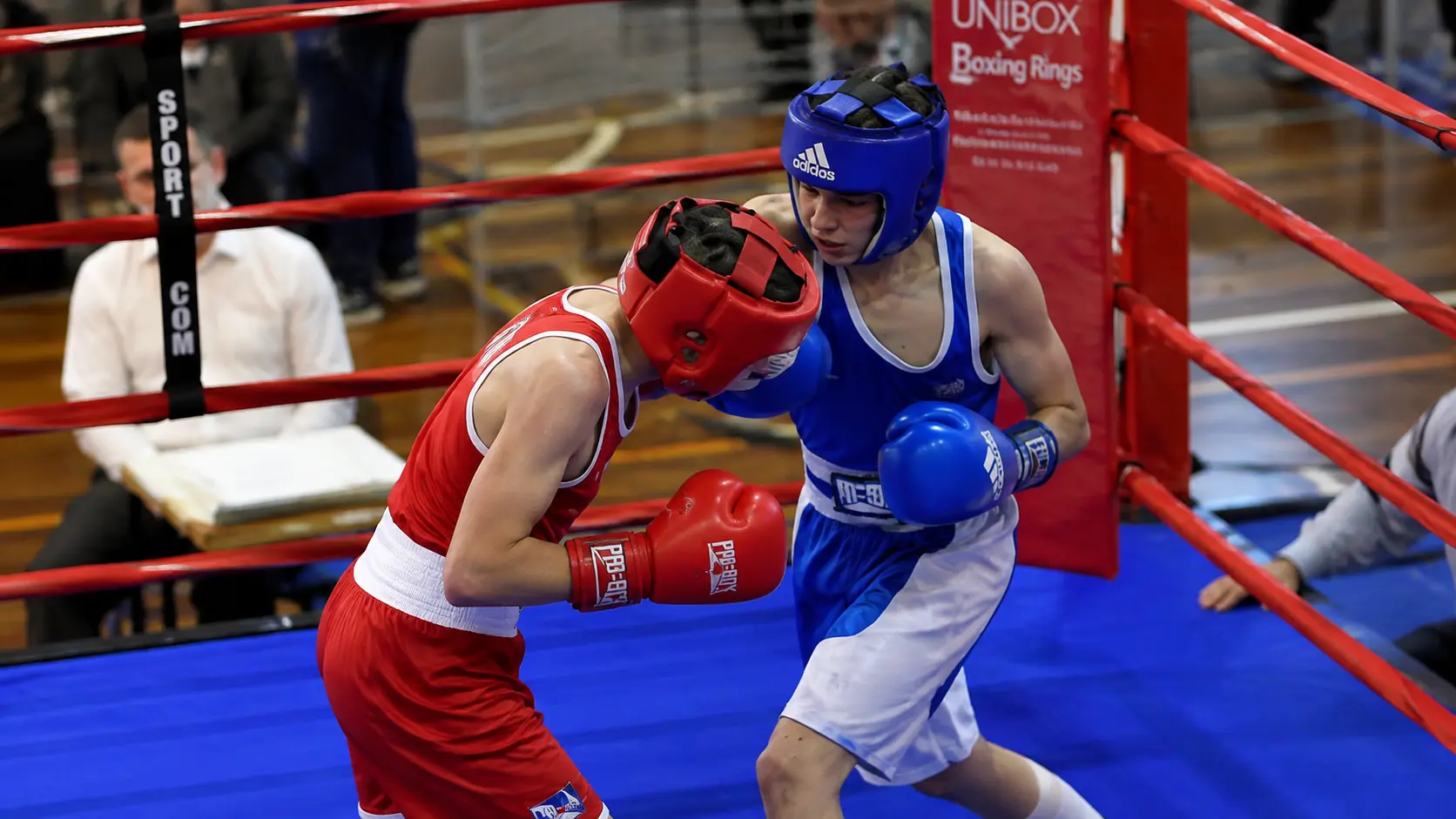
See it on a real fight
The boxing scorebug composited on a real fight, exactly as it appears in OBS.
Round, round clock, corner colors, and a bout-title banner — exactly as it appears in OBS.
Everything you need for a professional boxing stream
No cutman on the graphics. No OBS plugins. Just a browser.
Round & clock tracking
Set the round duration once and track every round with a live countdown clock. When a round ends, the clock automatically resets and the round count advances — nothing to re-type between rounds.
Knockdowns, warnings & point deductions
One-tap counters for each corner. Log a knockdown, a warning, or a point deduction the moment it happens, with an easy correction if you tap the wrong one.
Red & blue corner scorebug
Each corner shows its own colour next to the fighter’s name, with the round, clock, and fight status in the centre — including an automatic “between rounds” message the instant a round ends.
Fighter details
Add each fighter’s full name, ranking, record, and country, plus a weight class and bout title banner for a title fight — shown on the setup card and ready for richer overlay styles.
Instant sync
The control panel and overlay stay in sync in real time — no page refresh, no delay, no dropped updates between rounds.
On air before the first bell
- 1
Open the control panel
Go to ScoreLayer and open the control panel in your browser. Set the fighters’ names, corner colors, and round duration before the first bell.
- 2
Add a browser source in OBS
In OBS Studio, add a new Browser Source. Paste your ScoreLayer overlay URL and set the width and height to match your stream resolution.
- 3
Go live
Start your stream. Use the control panel to run the round clock and log knockdowns, warnings, and deductions — the overlay updates live without you touching OBS.
Frequently asked questions
- What is a boxing scoreboard overlay?
- A boxing scoreboard overlay is a transparent graphic that sits on top of your live stream video, showing the fighters’ names, round, and round clock — similar to what you see in broadcast coverage. ScoreLayer renders this as a browser source you add to OBS, Streamlabs, or vMix.
- Does ScoreLayer work with OBS Studio for boxing streams?
- Yes. Add ScoreLayer as a Browser Source in OBS Studio. The overlay has a transparent background so it composites cleanly over your ring or cage footage. You control the round clock and corners from a separate browser tab or phone — no need to touch OBS mid-fight.
- Does it track knockdowns, warnings, and point deductions?
- Yes. Each corner has its own one-tap counters for knockdowns, warnings, and point deductions, with a correction button if you log one by mistake.
- Does the round clock reset automatically between rounds?
- Yes. Set your round duration once — the default is 3:00 — and when a round ends, the clock automatically resets to that duration and the round count advances, so you are always ready for the next round with one tap of start.
- Can I use this for kickboxing or Muay Thai instead of boxing?
- Yes. The round clock, corners, knockdown/warning/point-deduction counters, and weight class all apply to any round-based combat sport — kickboxing, Muay Thai, amateur boxing, and similar formats work the same way. Select Boxing as the sport when you create your scoreboard.
- Can I set a custom round duration?
- Yes. Enter any round length in the Bout Settings card — 2:00 for amateur or kickboxing rounds, 3:00 for professional boxing, or whatever your event uses — and tap Set to apply it immediately.
- What happens when I end the fight?
- Tapping End Fight stops the clock and marks the bout as finished, so the round clock and round counter stop advancing even if the clock is accidentally started again — a safeguard for the rest of your broadcast.
- Do I need to install any software?
- No. ScoreLayer runs entirely in the browser. You just add a URL as a browser source in your streaming software — there is nothing to download, install, or configure on your computer.
- Does it work with Streamlabs and vMix?
- Yes. Any streaming software that supports a browser source or web URL input works with ScoreLayer, including Streamlabs, vMix, and Wirecast.
Ready to level up your boxing stream?
Add a professional boxing scoreboard overlay to your next fight card. Free to try — no software install required.
Create scoreboard